Automation · 02
Project Decision & Client Memory
A retrieval-augmented (RAG) assistant that answers questions about client projects from their own documents. It gives the latest decision, the earlier one it replaced and the file and date behind each, so the team works from the current agreement instead of memory.
- Stack
- n8n
- OpenAI
- Supabase
01 / 03
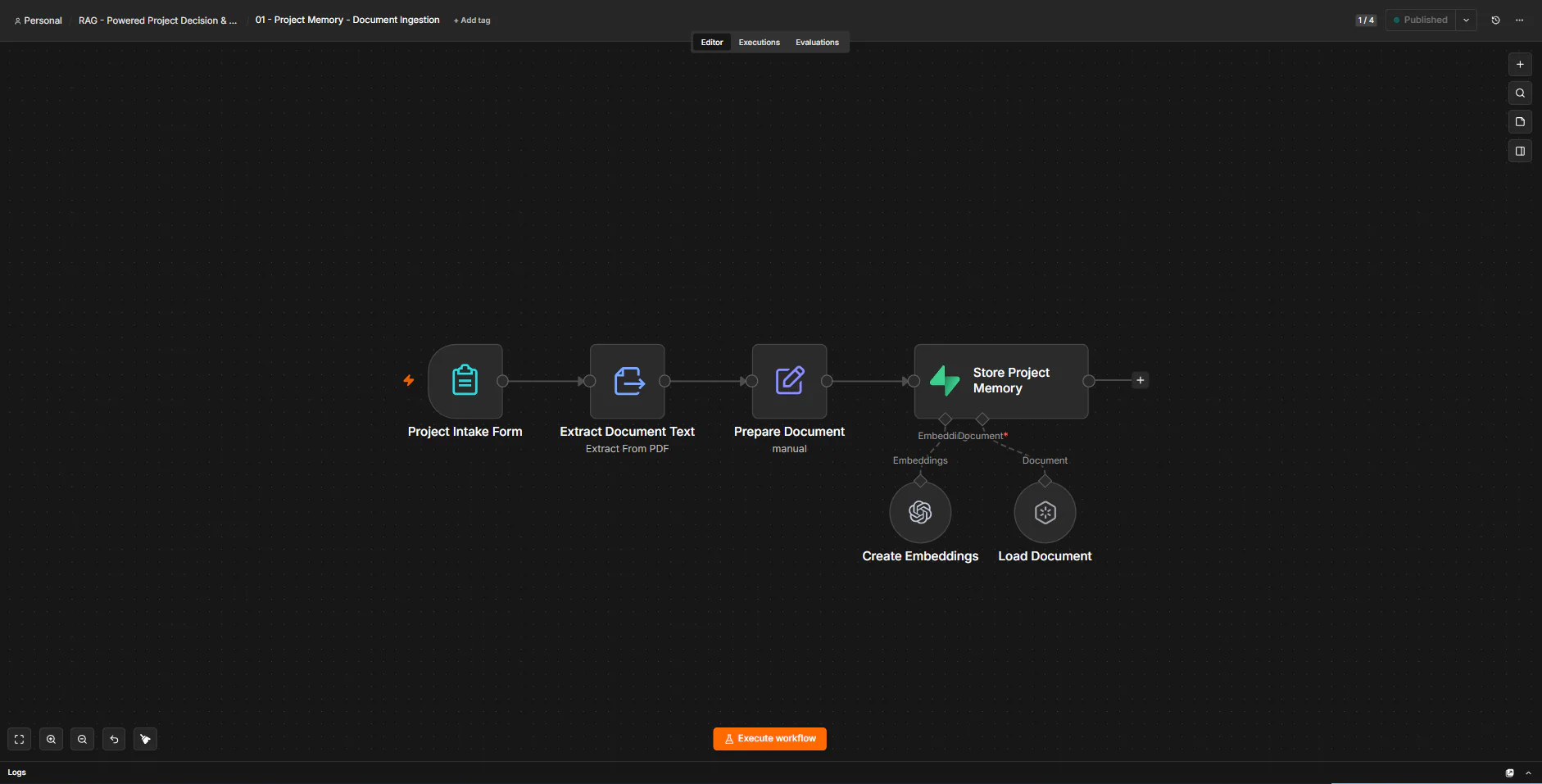
Image 1 of 3: n8n canvas of the document ingestion workflow
The example uses a test client and test documents.
Overview
The problem. Project decisions live in PDFs spread across folders, and they change over time. When someone asks what was agreed, it's easy to quote an outdated decision or answer from memory instead of the record.
What I built. I built two n8n workflows. The first takes a PDF through a form, extracts the text, tags it with the client, project, document date and source type, and stores OpenAI embeddings in a Supabase vector table. The second is a chat agent that answers only from those documents, prefers the newest dated decision, cites the source file and date, and says so when nothing is found.
Why it helps. Answers come from the documents themselves, with the newest decision first and a source for every claim.
System flow
2 workflows
How the workflows connect.
- A document is uploaded with its project details. Next: Document ingestion.Someone asks about a client, project or past decision. Next: Project memory chat.
- Extracts, labels and embeds the document (6 nodes). Nodes: n8n Form Trigger; Extract From File; Edit Fields (Set); Supabase Vector Store; Default Data Loader; Other nodes ×1. Next: Supabase documents.An agent searches the same table and answers with the source (5 nodes). Nodes: Chat Trigger; AI Agent; OpenAI Chat Model; Supabase Vector Store; Embeddings OpenAI. Next: Supabase documents.
- One vector table holds every document chunk with its metadata. End of flow.