GoHighLevel · 04
Nail Spa Booking Website & Pipeline
A booking website and GoHighLevel pipeline for a nail and spa salon. Customers browse services, prices and packages and can book from any page, and each booking is tracked as an opportunity that moves from New Booking and Pending Confirmation to Confirmed, Arriving Today, In Service and Completed. The team sees the day's arrivals and every booking's value in one place.
- Built for
- NailandiaNail and spa salon
- Stack
- GoHighLevel
- Pipelines
- Opportunities
- Website
- Forms
01 / 07
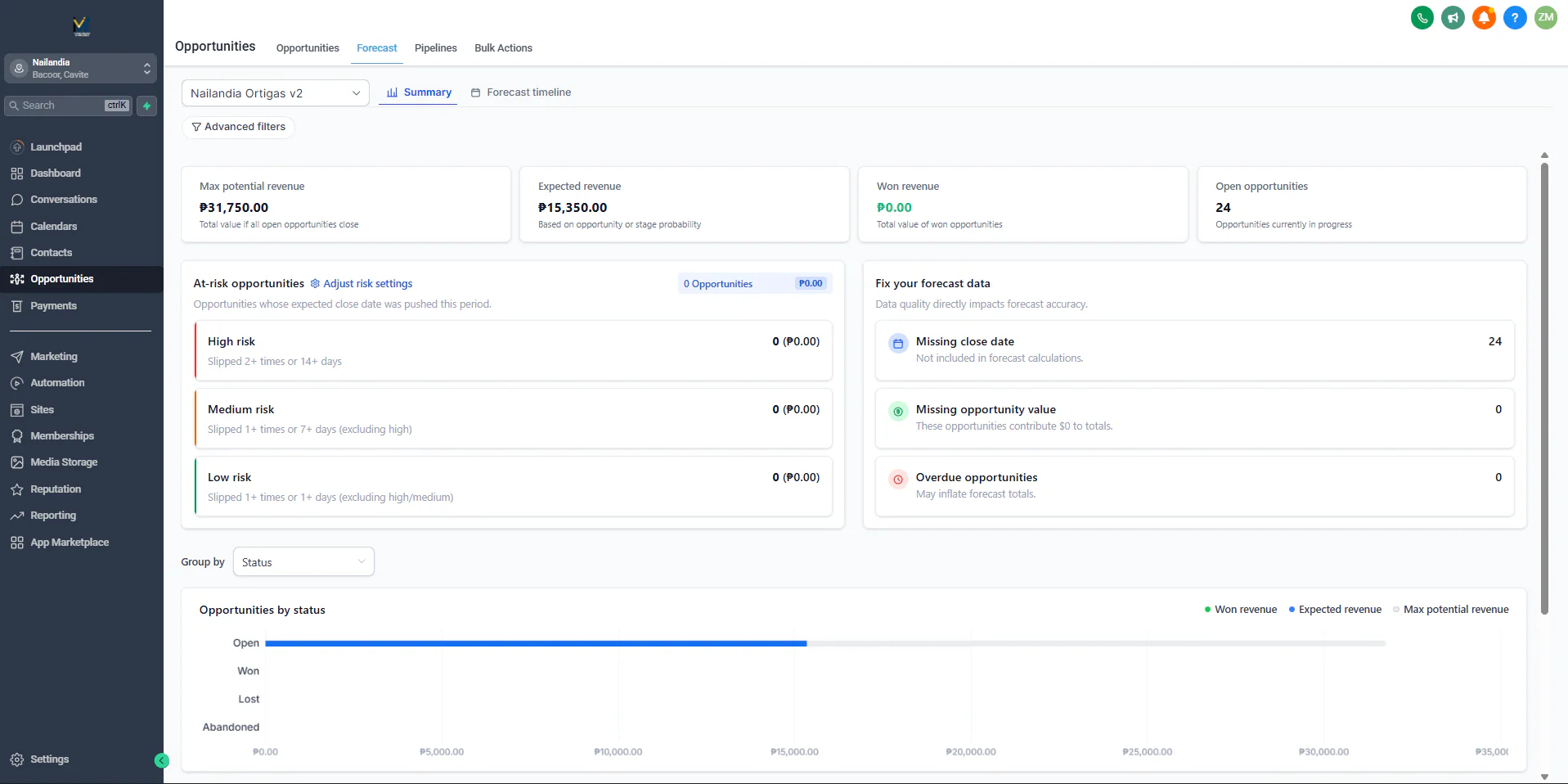
Image 1 of 7: GoHighLevel forecast for the Nailandia booking pipeline
Overview
The problem. A salon runs on appointments. Customers want to see services and prices before they book, and staff need to know which bookings are still unconfirmed, who is arriving today and who is in service. Tracking that by hand makes it easy to miss a confirmation or lose track of the day.
What I built. I built the salon's website and its GoHighLevel booking pipeline. The site presents the salon, every service with its price (manicure, pedicure, eyelash services and body treatments) and the spa packages, with a Book Now button on every page and a contact form.
In GoHighLevel, each booking becomes an opportunity named after the customer and the service, with its value, in a pipeline with six stages: New Booking, Pending Confirmation, Confirmed, Arriving Today, In Service and Completed. The forecast view adds up the value of open bookings. The workflows that confirm bookings and move them along are on the Automation page (Appointment Booking Follow-up).
Why it helps. Customers see prices and book in a few clicks, and staff see every booking's stage, from unconfirmed to completed, in one pipeline.
GHL system flow
- Services and prices by category, spa packages and the gallery. Components: Website pages ×4 (Home, About, Services, Contact). Next: Book Now.
- Every page has a Book Now button; the contact page also has a form. Components: Button (Book Now); Form (Contact form). Next: New Booking.
- The booking becomes an opportunity named after the customer and the service, with its value. Components: Pipeline (Nailandia Ortigas v2); Stage (New Booking). Next: Pending → Confirmed.
- A booking waits in Pending Confirmation until it's confirmed. Components: Stages ×2 (Pending Confirmation, Confirmed). Next: Arriving Today → In Service.
- On the day, the booking moves to Arriving Today, then In Service. Components: Stages ×2 (Arriving Today, In Service). Next: Completed.
- The visit is completed; the forecast shows the value of open bookings. Components: Stage (Completed); Forecast (Opportunities by status). End of flow.
The workflows that confirm bookings and move them through these stages are on the Automation page (Appointment Booking Follow-up).
Key GHL components
- Pipeline: Nailandia Ortigas v2, six booking stages from New Booking to Completed
- Opportunities: one per booking, named by customer and service, with its value
- Forecast: potential and expected value of open bookings
- Website: services and prices by category, packages, gallery and Book Now on every page
- Form: contact form with phone, email and a message
- Workflows: booking confirmation and follow-up (Automation: Appointment Booking Follow-up)