Automation · 15
Instalment Payment Onboarding
Onboarding workflows for programs paid in full, in two monthly payments or in four weekly payments. Each payment is matched to the client's progress through their plan, so they get the right email for that payment and the team is told when a plan is fully paid.
- Built for
- Australian clientBuilt on Ivorey
- Stack
- Ivorey
- Workflows
- Payments
- Opportunities
01 / 03
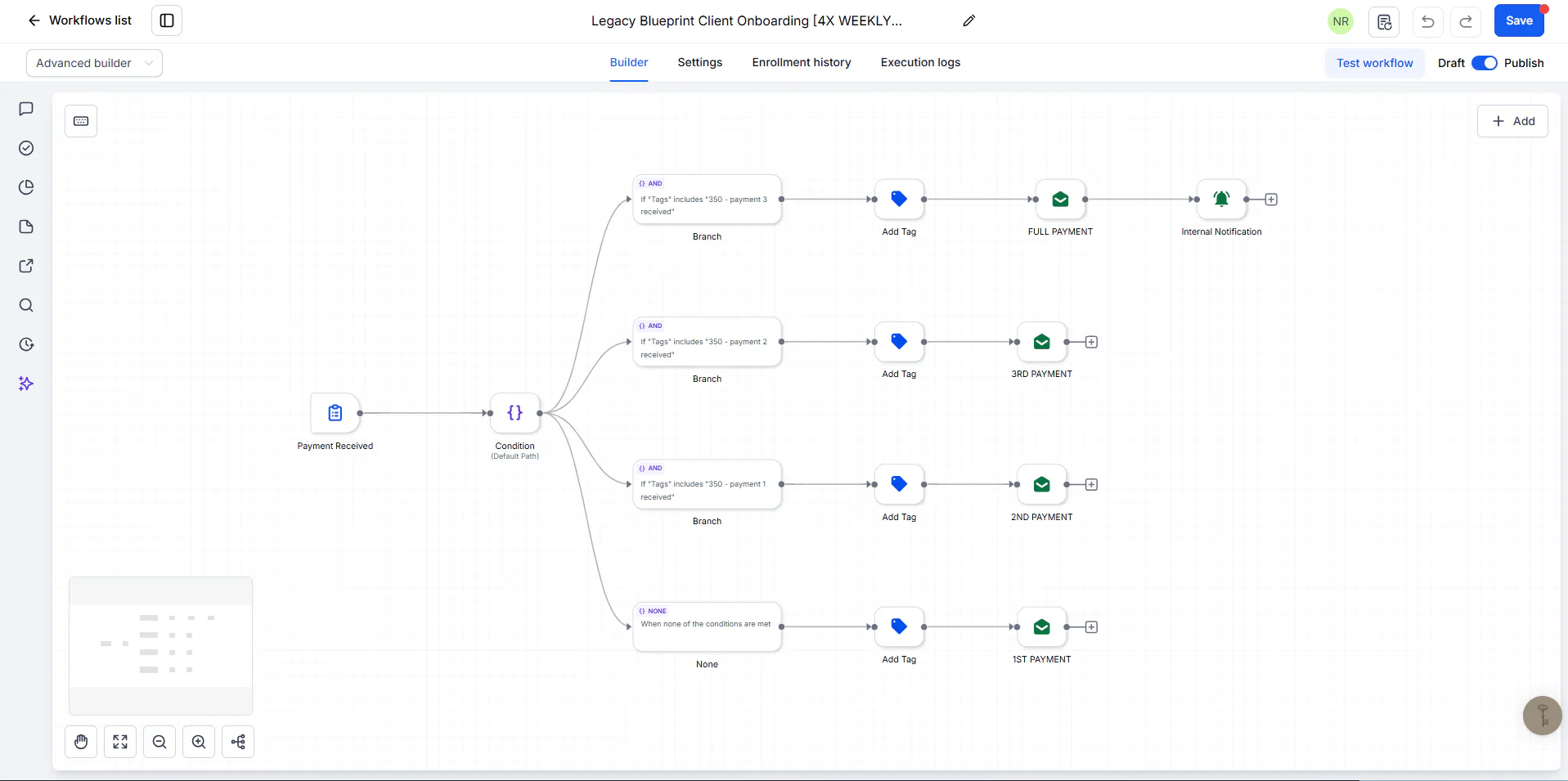
Image 1 of 3: Ivorey workflow routing four weekly payments by payment tag
Overview
The problem. Clients could pay for a program in full, in two monthly payments or in four weekly payments. Sending the right onboarding email for each payment, and knowing when someone had finished paying, meant checking payment history by hand.
What I built. I built one payment-triggered workflow per plan in Ivorey. A condition reads which payment tags the contact already has, then the workflow adds the next tag and sends the matching email for the first, second, third or final payment. Two flows also create or update the client's opportunity, the full-payment flow sends a welcome email straight away, and the team gets an internal notification when a plan is complete.
Why it helps. Clients always get the email that matches their place in the payment plan, and the team knows when a plan is paid off without checking payments.
System flow
3 workflows
Legacy Blueprint Client Onboarding [4X WEEKLY…]Four weekly payments, each tagged with its own email.
- Nodes: Payment Received. Next: Which payment?.
- Read from the payment tags already on the contact. Nodes: Condition ("350 - payment 3 received", "350 - payment 2 received", "350 - payment 1 received", None). Next: 1st payment, 2nd payment, 3rd payment, Final payment.
- Nodes: Add Tag; Email (1ST PAYMENT). End of flow.Nodes: Add Tag; Email (2ND PAYMENT). End of flow.Nodes: Add Tag; Email (3RD PAYMENT). End of flow.Also notifies the team. Nodes: Add Tag; Email (FULL PAYMENT); Internal Notification. End of flow.